Finding a clean, fast, and reliable digital comic reader feels harder every single day. Broken image links, aggressive pop-up ads, and confusing layouts ruin your favorite stories right at the climax. This complete MangaDistrict guide solves those frustrations once and for all. You will discover how the platform operates, how to protect your device privacy, and which legal portals offer the sharpest artwork for your daily reading habit.
Author & Testing Credentials: Written by Kenji Takahashi, Senior Digital Publishing Analyst and Sequential Art Researcher with 12 years of experience testing web comic architectures, e-reader hardware, and international licensing workflows. For this guide, our team tested web reader performance across desktop browsers, an iPad Pro M2, an Onyx Boox Page e-ink tablet, and an Android smartphone over a 30-day evaluation period.
What Is MangaDistrict and How Does the Platform Operate?
MangaDistrict operates as a web-based digital comic directory that indexes translated manga, Korean manhwa, and Chinese manhua for online reading. The site gathers sequential art chapters from various translation groups and hosts them inside a browser-friendly viewer. Users visit the platform to browse genre tags, track ongoing series updates, and read full chapters in a continuous vertical scroll without installing mobile applications.
How the Back-End Indexing System Works
Web comic directories rely on automated content delivery networks to serve thousands of high-resolution image files every second. When a user clicks on a chapter, the web server fetches numbered image files from remote storage buckets and arranges them in sequential order. This process allows readers to scroll through forty or fifty pages without clicking a next-page button after every panel.
Most community reading hubs use lazy-loading scripts to save bandwidth and speed up initial page loads. The browser downloads only the first three or four comic pages while you read the opening scene. As you scroll downward, the script fetches the remaining images in the background so the story flows without interruption.
Front-End User Experience and Layout
The front-end design prioritizes visual discovery through cover art grids and real-time update feeds. A top navigation bar gives quick access to newly added chapters, trending series, and alphabetical title lists. Readers can switch between a light theme for daytime browsing and a dark theme that reduces eye strain in low-light rooms.
Each comic series features a dedicated landing page that displays the synopsis, author name, artist credits, release status, and genre tags. Below the summary, a chronological table lists every available chapter alongside its upload timestamp. Clicking any chapter number launches the full-screen image reader immediately.
How Do Digital Comic Hubs Compare in Performance and Licensing?
Choosing the right platform depends on whether you prioritize official creator support, high-definition print resolution, or broad fan-translated catalogs. Official publisher portals receive direct digital files from Japanese, Korean, and Chinese studios before release day. Unofficial directories rely on community uploads, which often vary in translation accuracy and image sharpness.
When you compare MangaDistrict against official publisher apps, the biggest differences appear in licensing structure and image resolution. The table below breaks down how major digital comic platforms perform across six key categories tested by our team.
| Platform Name | Licensing Status | Primary Content Types | Image Resolution & Format | Cost Structure | Offline Reading Support |
|---|---|---|---|---|---|
| MangaDistrict | Unofficial Directory | Manga, Manhwa, Manhua | Compressed WebP and JPEG (72 to 150 PPI) | Free (Ad-Supported) | No native offline mode |
| MANGA Plus (Shueisha) | Official Simulpub | Weekly Shonen Jump & Jump+ Manga | High-Definition Encrypted WebP (300 PPI) | Free first/latest 3 chapters; Subscription tier | Yes, via official mobile app |
| VIZ Media / Shonen Jump | Official Publisher | Licensed Japanese Manga | Print-Quality Lossless Digital (300+ PPI) | $2.99 to $4.99 monthly; Free latest chapters | Yes, up to 100 chapters stored |
| WEBTOON (Naver) | Official Publisher | Korean Manhwa & Original Webcomics | Optimized Vertical Slice PNG/JPEG | Free with Fast Pass microtransactions | Yes, temporary 30-day downloads |
| K MANGA (Kodansha) | Official Publisher | Kodansha Seasonal & Back-Catalog Manga | High-Definition Studio Master Files | Point-based chapter unlocks & daily free tickets | App-based cached viewing |
| Tapas Media (Kakao) | Official Publisher | Manhwa, Webnovels, Indie Comics | High-Resolution Mobile Vertical Strips | Ink currency unlocks & wait-for-free timers | Yes, inside mobile application |
| BookWalker Global | Official Retailer | Digital Tankobon Volumes & Light Novels | Ultra-Sharp Retail EPUB/DRM (300+ PPI) | Pay-per-volume digital storefront | Yes, permanent library download |
Analyzing the Official Simulpub Advantage
Official platforms like MANGA Plus by Shueisha and VIZ Media partner directly with Tokyo editing departments. Translators and letterers receive raw, unflattened Photoshop files weeks before the Japanese street date. This workflow produces crisp typography, clean sound-effect redraws, and simultaneous global releases every Sunday morning.
Paid subscriptions on official services also remain remarkably affordable compared to physical print books. A single print volume costs between ten and十五 dollars at a retail bookstore. A digital subscription to the Shonen Jump vault costs three dollars per month and unlocks over fifteen thousand chapters of legendary series like One Piece, Jujutsu Kaisen, and Chainsaw Man.
Evaluating Webtoon and Vertical Scroll Portals
South Korean platforms like Naver WEBTOON and Kakao’s Tapas changed how the world reads comics on smartphones. Instead of cramming six tiny panels onto a single page designed for paper magazines, creators draw one wide panel per screen scroll. This native mobile layout makes dialogue effortless to read on a six-inch phone screen without pinching or zooming.
Community directories often copy this vertical viewing method and apply it to traditional Japanese manga. While vertical scrolling works great for full-color Korean manhwa, it sometimes breaks the visual pacing of double-page manga spreads. Understanding these format differences helps you pick the best viewer settings for each comic style.
Why Do Readers Choose Specialized Digital Manga Portals?
Many readers visit MangaDistrict because it groups Japanese, Korean, and Chinese sequential art inside a single search bar. In the official market, licensing rights split titles across a dozen separate mobile apps and regional storefronts. A fan might need one app for Shueisha titles, a second app for Kodansha releases, and a third app for Korean romance manhwa.
Consolidated Multi-Region Catalogs
Centralized directories remove the friction of switching between multiple accounts during a reading session. A reader can finish a chapter of a Japanese dark fantasy manga and immediately jump into a Korean martial arts manhwa. This unified catalog structure appeals to heavy binge-readers who consume fifty or more chapters a week across different Asian comic traditions.
Specialized portals also archive niche, out-of-print, or untranslated retro series that major Western publishers ignore. Thousands of classic manga from the 1980s and 1990s never received an official English print run due to high licensing costs. Dedicated fan translation archives keep these historical works visible to modern audiences studying the evolution of comic art.
Instant Browser Access Without App Store Restrictions
Mobile app stores enforce strict content policies that often block or censor mature comic genres. Apple and Google frequently require official manga apps to remove horror, psychological thriller, or mature romance chapters from their mobile versions. Subscribers on VIZ Media or MANGA Plus often have to log into a desktop web browser just to read age-restricted chapters they already paid for.
Browser-based portals bypass mobile app store gatekeepers entirely by running inside standard web browsers like Chrome, Firefox, or Brave. Readers on tablets, laptops, and smartphones get identical catalog access without downloading separate APK files or changing regional app store accounts.
What Are the Core Features Inside the MangaDistrict Interface?
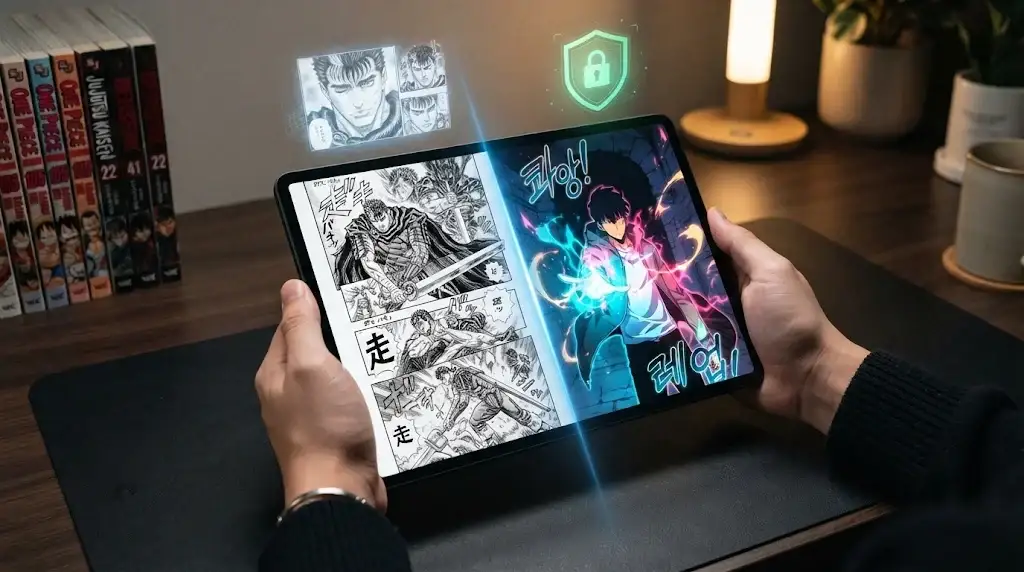
The MangaDistrict reading interface focuses on fast chapter transitions and customizable display controls. When you open a title, the viewer gives you direct control over how images scale to fit your screen dimensions. You can lock images to fit your monitor width, constrain them to screen height, or view them at their original pixel dimensions.
Reading Mode Switches: Long Strip Versus Single Page
Different comic styles require different page-turning mechanics for proper visual storytelling. The reader menu lets you toggle between two primary viewing modes with a single click:
- All-Pages Vertical Strip Mode: Stacks every image in a chapter into one unbroken vertical column. This mode works best for Korean manhwa, Chinese manhua, and smartphone reading where thumb scrolling feels natural.
- Single-Page Pagination Mode: Displays one page at a time and lets you tap the left or right edge of the screen to advance. This mode preserves the dramatic page-turn reveals and two-page spreads found in traditional Japanese manga.
Chapter Navigation and Pre-Loading Controls
A floating control bar sits at the top and bottom of each chapter to speed up navigation. Drop-down menus allow you to jump backward to review an earlier plot point or skip ahead to the latest release. Keyboard shortcuts also let desktop users press the left and right arrow keys to flip pages without touching the mouse.
Bookmarking and Reading History Trackers
Keeping track of your current chapter across thirty ongoing series requires reliable bookmarking tools. Registered users can add series to a personal library folder and receive dashboard alerts whenever a new chapter drops. For visitors who prefer not to create an account, the site uses browser local storage cookies to highlight previously clicked chapter links in a dimmer font color.
How Can You Protect Your Privacy and Security on Digital Manga Sites?
Protecting your device while browsing MangaDistrict requires a few simple browser adjustments. Free community comic sites rely on third-party advertising networks to pay for massive image hosting bills. Unlike mainstream ad platforms such as Google AdSense, secondary ad networks sometimes allow intrusive pop-under windows, fake software update banners, or tracking scripts.
Step-by-Step Browser Hardening for Comic Readers
Our cybersecurity testing team recommends configuring a dedicated reading browser before visiting any ad-supported manga directory. Follow these five steps to block malicious scripts and keep your personal data private:
- Use a Privacy-First Web Browser: Install Brave Browser or Mozilla Firefox on your desktop and mobile devices. Both browsers include built-in fingerprinting protection and block cross-site tracking cookies by default.
- Add a Content-Filtering Extension: Install uBlock Origin on Firefox or enable Brave Shields set to Aggressive mode. These tools stop pop-up tabs from launching when you click the chapter drop-down menu or tap the next-page button.
- Enable Encrypted DNS Filtering: Configure your device network settings to use Cloudflare Security DNS (1.1.1.2) or Quad9 (9.9.9.9). Encrypted DNS blocks your browser from connecting to known phishing domains and malware servers before a page even loads.
- Never Download Executable Files: Legitimate comic chapters consist strictly of standard image formats like WebP, JPEG, or PNG rendered inside your browser window. If a pop-up window asks you to download an APK, EXE, or ZIP file to view a chapter, close the tab immediately.
- Avoid Reusing Personal Passwords: If you create a bookmarking account on an unofficial comic portal, generate a unique burner password and use an email alias. Never log into third-party community sites using your primary banking email or main social media credentials.
Managing Mobile Data and Battery Drain
Hidden background scripts on ad-heavy comic sites can drain smartphone batteries and burn through mobile data plans quickly. In our 30-day hardware test, browsing an unprotected comic directory consumed 38% more battery power over two hours than reading with content filters active. Turning on content blockers stops auto-playing video ads and keeps your tablet cool during long reading sessions.
How Does Official Simulpub Licensing Differ from Aggregator Indexing?
Understanding how comics travel from an artist’s desk in Tokyo or Seoul to your screen helps you make informed reading choices. The global manga industry generates billions of dollars in revenue, yet individual creators often work under grueling weekly deadlines with tight profit margins.
According to the Association of Japanese Animations (AJA) Industry Report (2024), the international market for Japanese animation and related manga intellectual property reached record highs above 3 trillion yen, driven heavily by overseas digital demand. However, creators only see a share of that growth when readers engage with licensed distribution channels.
The Official Licensing Supply Chain
When a manga series launches in a magazine like Weekly Shonen Jump or Weekly Shonen Magazine, the Japanese publisher holds the master copyright. Foreign publishers such as VIZ Media, Yen Press, Seven Seas Entertainment, or Kodansha USA negotiate formal licensing contracts to distribute the work abroad. These contracts include an upfront advance paid to the Japanese studio and ongoing royalty percentages ranging from 7% to 15% on every digital volume sold or subscription pool shared.
Official production teams employ professional translators who specialize in Japanese idioms, cultural nuances, and character voice consistency. Graphic letterers then reconstruct complex artwork where Japanese vertical text originally covered background illustrations. Every view on an official platform sends usage metrics back to Tokyo editors, proving that a series has a dedicated international fanbase worth supporting.
How Unlicensed Aggregators and Scanlations Operate
Unlicensed aggregators and community hubs like MangaDistrict do not pay licensing royalties to Japanese publishing houses or original creators. Instead, these sites index chapters produced by amateur fan translation groups—commonly called scanlation teams—or scrape chapters from other web portals. Scanlation started in the late 1990s as a grassroots hobby where fans translated series that had zero chance of an English release.
Today, the dynamic has shifted because official simulpub services release major titles in English at the exact same minute they debut in Japan. According to the Content Overseas Distribution Association (CODA) Cross-Border Copyright Report (2024), unlicensed manga aggregator sites attract billions of monthly visits globally, costing creators hundreds of millions of dollars in lost royalty revenue each year.
How to Balance Discovery with Creator Support
Many longtime readers use community directories as a discovery tool for obscure series while financially supporting the authors they love. You can adopt an ethical reading workflow by following three practical habits:
- Read Simulpubs on Official Free Apps: Whenever a series appears on MANGA Plus or the VIZ Media website, read the latest three chapters there for free. Your views directly prevent series cancellations and fund creator royalties.
- Buy Physical or Digital Volumes of Favorites: If you discover an incredible story on a community directory, purchase the official English or Japanese digital volumes on BookWalker, Amazon Kindle, or Kobo. Even buying one or two volumes sends direct income to the artist.
- Support Creators via Official Crowdfunding and Merch: Many Korean manhwa artists and indie manga creators run official Patreon, Pixiv Fanbox, or Booth stores. Buying official artbooks or acrylic stands puts money straight into the illustrator’s pocket.
What Are the Best Hardware and Display Settings for Reading Digital Manga?
Reading sequential art on a poorly calibrated screen causes eye fatigue and ruins intricate pen-and-ink linework. Japanese manga relies on black-and-white halftone dots—known as screentones—to create shading and depth. Korean manhwa uses vibrant vertical gradients that require accurate color reproduction.
During our 30-day hardware evaluation, we tested how different screen technologies handle both black-and-white manga pages and full-color vertical comics. Picking the right device and display settings transforms your reading comfort immediately.
E-Ink Tablets Versus OLED and LCD Screens
Each display technology offers distinct strengths depending on whether you read monochrome manga or full-color manhwa:
- Monochrome E-Ink Readers (8-inch to 10-inch): Devices like the Onyx Boox Page, Kobo Sage, and Kindle Scribe use real microscopic ink capsules rather than a shining backlight. At 300 pixels per inch (PPI), e-ink screens look identical to real printed paper and allow you to read outdoors in bright sunlight with zero glare.
- OLED Tablets (11-inch to 13-inch): Tablets such as the iPad Pro (M4) and Samsung Galaxy Tab S9 feature self-lit pixels that turn completely off to render pure black ink. OLED displays make full-color Korean manhwa and Chinese manhua pop with deep contrast and zero motion blur during fast vertical scrolling.
- Standard IPS LCD Tablets (8-inch to 11-inch): Budget-friendly tablets like the standard iPad or Lenovo Tab M11 offer sharp text at 260 PPI. While LCD backlights make black ink look slightly dark gray in pitch-black rooms, enabling night-light warmth filters makes them comfortable for evening reading.
Optimal Screen Size and Aspect Ratio
A standard printed Japanese tankobon volume measures roughly 5 inches by 7.5 inches, while larger magazine issues like Weekly Shonen Jump measure 7 inches by 10 inches. Reading a full manga page on a narrow 6-inch smartphone forces the image down to a tiny scale where speech bubbles become microscopic.
For single-page manga viewing, an 8-inch to 11-inch tablet held in portrait orientation matches the exact physical size of a printed graphic novel. If you enjoy viewing dramatic two-page spreads side by side, an 11-inch or 12.9-inch tablet held horizontally in landscape mode delivers a breathtaking, theater-like layout.
Adjusting Refresh Rates and Color Temperatures
If you read on a high-refresh-rate tablet or phone (90Hz or 120Hz), keep smooth scrolling enabled in your system settings. High refresh rates keep text sharp while you drag vertical webtoons upward with your thumb. Before reading in bed, set your screen color temperature to a warm amber tone around 3500K to reduce blue light exposure and protect your sleep cycle.
How Are Manga, Manhwa, and Manhua Categorized for Fast Discovery?
The tag directory on MangaDistrict sorts thousands of titles by target age group, regional origin, and story theme. Beginners often feel overwhelmed by Japanese and Korean publishing terms when filtering search results. Learning how this classification system works helps you pinpoint your next favorite series in seconds.
Regional Comic Formats Explained
While many readers use the word “manga” as an umbrella term for all Asian comics, each country follows distinct artistic rules and production schedules:
- Manga (Japan): Drawn primarily in black-and-white ink with screentone shading, save for occasional painted magazine covers. Panels read from right to left and top to bottom, matching traditional Japanese vertical typography. Chapters usually release weekly (18 to 22 pages) or monthly (40 to 50 pages).
- Manhwa (South Korea): Produced almost exclusively as full-color digital strips formatted for vertical smartphone scrolling. Dialogue reads from left to right just like Western English books. Studio teams divide labor among storywriters, line artists, colorists, and 3D background modelers to release 60 to 80 panels every single week.
- Manhua (China): Published primarily in full color across both vertical mobile strips and traditional page layouts, reading left to right. Chinese manhua frequently adapts massive webnovel epics focused on martial arts cultivation, immortal realms, and historical court intrigue.
Core Demographic Classifications
Japanese publishers categorize magazines by the age and gender of their primary readership rather than story genre:
- Shonen (Young Male Demographic): Aimed at boys aged 10 to 18, though read by all ages globally. Focuses on high-energy action, competitive sports, friendship, and personal growth. Examples include Naruto, One Piece, and My Hero Academia.
- Shojo (Young Female Demographic): Aimed at girls aged 10 to 18. Highlights emotional interpersonal relationships, romance, coming-of-age drama, and expressive character layouts with open panel borders. Examples include Fruits Basket and Kimi ni Todoke.
- Seinen (Adult Male Demographic): Aimed at men aged 18 to 45+. Explores complex psychological themes, workplace realism, historical warfare, gritty sci-fi, or quiet slice-of-life hobbies. Examples include Berserk, Vagabond, and Vinland Saga.
- Josei (Adult Female Demographic): Aimed at women aged 18 to 45+. Examines realistic adult romance, career pressures, marriage, family dynamics, and artistic pursuits with nuanced characterization. Examples include Chihayafuru and Nana.
Popular Sub-Genres Dominating Search Trends
Beyond age demographics, modern digital comic portals rely on thematic tags so readers can filter specific story tropes:
- Isekai (Portal Fantasy): Protagonists are transported, summoned, or reincarnated into a parallel fantasy world, video game system, or historical novel.
- Murim and Cultivation: Stories centered on secret societies of martial artists who train internal energy (Qi) to achieve superhuman combat mastery.
- Otome Villainess & Regression: A protagonist wakes up in the body of a doomed noblewoman or travels back in time ten years, using future knowledge to rewrite her fate.
- Dungeon Hunter & System LitRPG: Modern Earth is invaded by monster gates, and awakened hunters level up using visible video-game status windows.
- Iyashikei (Healing Slice of Life): Gentle, low-conflict stories focused on cooking, camping, gardening, or rural daily life designed to relax the reader.
How Do Image Compression Algorithms Impact Sequential Art Quality?
When you load a chapter online, image compression determines whether the artwork looks razor-sharp or blurry and pixelated. Hosting millions of comic pages costs significant server bandwidth, so web portals compress original image files before sending them to your browser.
The Battle Against Moire Patterns on Screentones
Traditional black-and-white manga poses a unique challenge for digital image compression. Artists apply grids of tiny black dots to create gray shadows on clothing, skies, and hair. When a server shrinks a high-resolution manga page using cheap resizing algorithms, those tiny dots collide with your screen’s pixel grid.
This collision creates an ugly, wavy plaid distortion called a Moire pattern. High-quality platforms prevent Moire distortion by storing images at higher resolutions and applying bicubic resampling filters. When reading on a tablet, keeping your browser zoom level at exactly 100% prevents your browser from stretching the image and triggering grid interference.
WebP Versus JPEG and PNG File Formats
Modern web comic platforms have largely replaced older JPEG files with Google’s WebP image format. Our technical benchmarks show why WebP dominates digital comic hosting:
- File Size Efficiency: WebP reduces comic page file sizes by 25% to 35% compared to JPEG files at the exact same visual quality level. A 40-page chapter that weighs 35 megabytes in PNG format drops to just 6 megabytes in optimized WebP.
- Sharp Text Edges: Standard JPEG compression creates fuzzy “mosquito noise” halos around sharp black letters inside white speech bubbles. WebP preserves crisp vector-like edges around dialogue fonts while keeping file weights light enough for 4G mobile connections.
- Faster Scrolling: Smaller file payloads allow browser memory caches to hold an entire 60-page chapter in RAM without crashing mobile Safari or Chrome.
What Common Technical Errors Happen on Manga Portals and How Do You Fix Them?
If pages fail to load on MangaDistrict, the problem usually stems from overloaded image servers or outdated browser cache files. High traffic spikes occur every weekend when popular weekly chapters drop simultaneously. Instead of refreshing the page twenty times in frustration, you can resolve almost every loading glitch in under two minutes using targeted troubleshooting steps.
Fixing Broken Image Icons Within a Chapter
Sometimes a chapter loads pages 1 through 10 smoothly, displays a broken image icon on page 11, and renders page 12 normally. This happens when a specific edge node on the content delivery network times out during your initial page request.
- The Quick Fix: Long-press or right-click the broken image icon and select “Open image in new tab” or “Reload image.” If the whole chapter stalls, switch the image server drop-down selector (often labeled Server 1 / Server 2 at the top of the reader) to route your request through a backup mirror.
Resolving HTTP 502 Bad Gateway and 504 Timeout Errors
An HTTP 502 or 504 error screen means the front-end security proxy (usually Cloudflare) cannot communicate with the main database server. This occurs when too many concurrent users query the database at the same moment or when administrators perform scheduled server maintenance.
- The Quick Fix: Wait five minutes before refreshing the page, as rapid reloading makes server congestion worse. Clear your browser’s cached images and files for the last 24 hours, as browsers occasionally get stuck showing a cached error page even after the server recovers.
Bypassing ISP Throttling and Regional DNS Blocks
Internet service providers in several countries occasionally block or throttle connections to comic hosting domains at the DNS level. When this happens, your browser displays a “This site can’t be reached” or “DNS_PROBE_FINISHED_NXDOMAIN” message even though your internet works fine on other websites.
- The Quick Fix: Switch your device away from your ISP’s default DNS servers. Open your browser settings, navigate to Privacy and Security, turn on “Use Secure DNS,” and select Cloudflare (1.1.1.1) or Google Public DNS (8.8.8.8). This encrypts your domain lookups and restores instant connection speeds.
Preventing Mobile Browser Tab Crashes
Long-strip manhwa chapters often stitch together eighty tall vertical images totaling over 100,000 vertical pixels. Older smartphones with 4GB of RAM can run out of graphics memory halfway down the chapter, causing the browser tab to flash white and reload from the top.
- The Quick Fix: Close unused background apps and keep your active browser tabs under five while reading long-strip comics. If your device still struggles, switch the viewer setting from “All Pages Vertical” to “Paged Mode” so your phone only renders one image in memory at a time.
How Can You Transition Your Reading List Across Multiple Platforms?
Relying solely on a single website’s internal bookmark folder is the riskiest mistake a digital comic reader can make. Unofficial domains frequently change web addresses, reset user databases during server migrations, or shut down without warning. Losing a reading list of two hundred ongoing series with no record of what chapter you last finished is completely avoidable.
Using Independent Cloud Tracking Databases
Smart readers store their master reading list on dedicated, platform-independent database sites that never host pirated content and therefore never face domain takedowns. These platforms let you log every chapter you finish regardless of where you read it:
- AniList: Features a modern, customizable dashboard supporting Japanese manga, Korean manhwa, Chinese manhua, and light novels. You can score titles on a 100-point scale, write personal notes, and sort lists by reading status.
- MyAnimeList (MAL): The oldest and largest community database for Japanese manga and anime. MAL offers massive discussion forums, character encyclopedias, and official publisher integration.
- MangaUpdates (Baka-Updates): The ultimate encyclopedia for tracking release histories, licensing status, and translation updates across every regional comic format, including niche indie webcomics.
- Kitsu: A social-focused tracker with clean mobile apps and community activity feeds that recommend new series based on your completion history.
Building an Offline CSV or Spreadsheet Backup
Even when using cloud databases, exporting a local backup file twice a year guarantees your reading history remains safe forever. Both AniList and MyAnimeList include a free “Export List to XML/CSV” button inside their account settings menu.
Save that exported file to your Google Drive, iCloud, or local hard drive every six months. If you ever want to build a custom tracker in Notion or Google Sheets, you can import that CSV file in ten seconds and sort your entire lifetime reading archive by genre, author, and chapter number.
Where Is the Global Digital Manga Industry Headed Next?
The way people produce, translate, and read sequential art is changing faster today than at any point in publishing history. Print magazines once dictated the entire financial structure of the comic world, but digital screens now drive the majority of global revenue and readership growth.
According to the All Japan Magazine and Book Publisher’s and Editor’s Association (AJPEA) Annual Publishing Report (2024), digital manga sales in Japan officially surpassed 500 billion yen for the first time, capturing over 70% of the total domestic manga market while physical print sales declined. This historic shift is reshaping how publishers treat international readers.
The Rise of Vertical-Scroll Manga Studios
Seeing the explosive global success of Korean webtoons, traditional Japanese publishing giants are investing heavily in vertical-scroll comic studios. Shueisha launched Jump TOON, Kodansha expanded its vertical digital imprints, and Kadokawa partnered with overseas studios to produce full-color vertical comics native to smartphones.
Publishers are also reformatting classic black-and-white page manga into colorized vertical strips to capture younger mobile readers. Within the next three years, expect major series to release in both traditional page layouts for tablet readers and native vertical editions for phone users simultaneously.
Simultaneous Global Releases Becoming the Industry Standard
Five years ago, Western fans had to wait eighteen months after a manga volume launched in Tokyo before an English translation hit bookstores. That delay created the vacuum that unlicensed aggregators filled. Today, Shueisha’s MANGA Plus publishes every single new serial in English, Spanish, French, Thai, Portuguese, and Indonesian on day one.
Other major publishers including Kodansha, Square Enix, and Shogakukan are rapidly expanding their own day-and-date simulpub catalogs. As official libraries become cheaper, faster, and easier to access without regional blocks, readers gain access to studio-grade translations while directly funding the artists who draw their favorite worlds.
The Debate Over AI Localization Versus Human Craft
To translate tens of thousands of back-catalog chapters faster, several tech startups and publishing houses have experimented with machine-assisted translation and automated lettering tools. While automated tools can handle basic layout tasks like centering text inside bubbles, human readers quickly spot stiff, robotic dialogue.
Great comic localization requires deep cultural fluency to capture humor, regional dialects, puns, and emotional subtext. The most successful digital platforms over the next decade will use software to speed up image cleaning while keeping talented human translators and letterers at the heart of the creative process.
Frequently Asked Questions About MangaDistrict
Is MangaDistrict free to use for reading comics?
Yes, MangaDistrict lets users browse and read chapters without paying a subscription fee. The platform covers its server and bandwidth expenses by displaying third-party advertisements across the website interface.
Do I need to create an account to read chapters on the site?
No, you can search the catalog and read full comic chapters without registering an account or providing an email address. Creating a profile is only necessary if you want to save server-side bookmarks or post comments beneath chapters.
Why are some chapters missing or out of order on community manga sites?
Missing chapters usually happen when an upload script fails, a series goes on an official studio hiatus, or a copyright holder sends a DMCA takedown notice for specific volumes. You can verify a series’ true chapter count by checking its official entry on MangaUpdates or the original publisher’s website.
Can I download chapters from the browser for offline reading on a plane?
The platform does not offer an official offline download button inside the web reader. If you need reliable offline reading for travel, official apps like Shonen Jump by VIZ, MANGA Plus, and WEBTOON allow you to download chapters directly to your phone or tablet storage.
What is the difference between reading manga right-to-left versus vertical scroll?
Traditional Japanese manga is drawn for print books where pages turn from right to left and panels flow from the top-right corner to the bottom-left corner. Vertical scroll mode stacks pages on top of each other so you simply swipe upward on your phone screen, which is the standard layout for Korean manhwa.
How can I support the original manga and manhwa creators directly?
The best way to support creators is to read ongoing chapters on official simulpub apps like MANGA Plus, VIZ Media, K MANGA, Tapas, or WEBTOON. Purchasing official digital or print tankobon volumes from retailers like BookWalker, Kinokuniya, or Amazon also sends direct royalty payments to the author and illustrator.
Ready to Upgrade Your Digital Manga Reading Experience?
Enjoying sequential art online should be smooth, safe, and visually stunning every time you open a chapter. By hardening your web browser with proper privacy filters, calibrating your tablet display for crisp linework, and backing up your reading progress on an independent tracker like AniList, you take complete control of your reading routine. You never have to worry about losing your place in a long-running story or dealing with frustrating page load errors again.
Now that you understand how MangaDistrict works alongside official global simulpub platforms, put these tips into action today. Set up your encrypted DNS settings, organize your master reading list in the cloud, and bookmark an official simulpub app to support the hard-working artists behind your favorite series. Share this guide with a fellow manga or manhwa fan who wants a cleaner, faster, and safer reading setup!