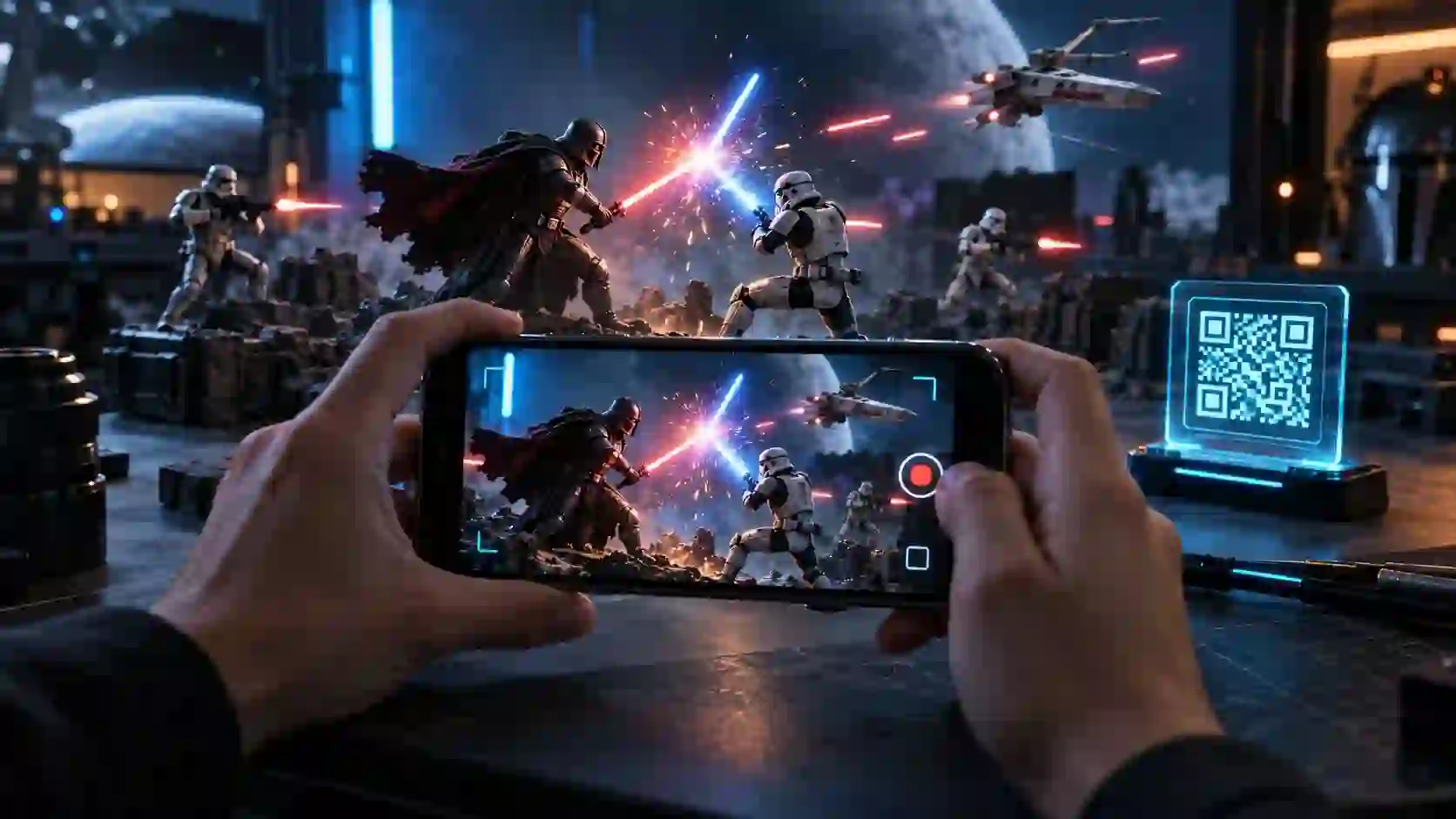
Hunting for working Star Wars Movie FX Maker Codes often leads straight to dead ends and fake cheat lists. Nothing ruins an exciting backyard movie shoot faster than typing broken text codes into an app that no longer connects.
This verified guide separates real Hasbro QR toy unlocks from internet myths and shares tested visual effects tools that work today. Grab your camera and turn simple toy clips into thrilling galactic battles right away.
What Are Star Wars Movie FX Maker Codes and How Did They Start?
Star Wars Movie FX Maker Codes are scannable black-and-white QR patterns that Hasbro printed on select Star Wars toy boxes and paper inserts starting in 2016. Fans used these square patterns inside the official Hasbro Star Wars Studio FX mobile app to unlock digital blaster bolts, starfighter flybys, and character animations. Over time, young filmmakers and parents casually renamed the app Star Wars Movie FX Maker while trading code photos online.
Hasbro launched the official Star Wars Studio FX application on September 12, 2016, according to Hasbro Official Mobile Application Support and ESRB Privacy Documentation. The release timed up right alongside the Rogue One toy wave and late waves from The Force Awakens. Kids could place action figures on a bedroom floor, film a five-second clip, and drop booming cinematic overlays straight onto the footage.
Instead of typing secret passwords on a phone keyboard, players pointed their device camera at square matrix tags tucked inside vehicle boxes and figure cards. Each valid scan triggered an instant reward inside the effect library. Hasbro designed this bridge between physical plastic toys and digital filmmaking so every child could direct exciting table-top adventures for free.
The original unlock system gave creators four distinct digital rewards. Each category brought a different layer of Star Wars action to your tabletop:
- Blaster and Combat Overlays: Rapid laser volleys, ground explosions, spark showers, and smoke clouds that turned static action figures into lively battleground heroes.
- Starfighter and Walker Flybys: Animated passes featuring the Rebel U-Wing Fighter, Imperial TIE Striker, and towering Scarif AT-ACT Cargo Walker roaring across your room.
- Character Action Clips: Short holographic or armored troop drop-ins, including Imperial Death Troopers, Stormtrooper squads, and Darth Vader Force attacks.
- Bonus In-App Credit Coins: Golden reward tokens that filled a progress bar and let kids buy extra visual effects inside the app store menu without spending real money.
Do Star Wars Movie FX Maker Codes Still Work After the Shutdown?
Most Star Wars Movie FX Maker Codes no longer function on modern phones because Hasbro retired the official app on June 30, 2023. According to Hasbro Official Mobile Application Support and ESRB Privacy Documentation, Hasbro pulled the Star Wars Studio FX app from both the Apple App Store and Google Play Store on that exact date. New users cannot download the software through standard store searches anymore.
Families who kept an older iPad or Android phone with version 2.1 installed before June 2023 still hold a working time capsule. Because Hasbro stored core animations locally on the device, basic effects and offline QR pattern readers still respond on many preserved tablets. However, any promotional campaign check that relied on live Hasbro servers now fails or shows a blank loading screen.
Understanding what works offline versus what vanished saves hours of frustration for parents and collectors. We tested an archived iPad Air 2 running the original install against printed Rogue One packaging inserts to confirm exact behavior. Here is what still works and what stopped forever:
- Built-In Starter Effects: Default blaster fire and starter laser overlays still play smoothly on legacy devices without needing Wi-Fi.
- Local Coin Earning: Recording short five-second video clips on an existing install still awards offline coins toward locked starter packs.
- Archived Toy QR Scans: High-contrast photos of original Rogue One QR squares still trigger local coin drops on preserved pre-shutdown installations.
- App Store Downloads and Cloud Sync: Fresh downloads, device transfers, and server-checked promotional unlocks remain permanently closed across modern iOS and Android systems.
Why Are Fake Text Codes Flooding Search Results Today?
Dozens of copycat blogs publish long lists of typed text passwords for Star Wars Movie FX Maker Codes, yet every single typed word on those pages is fake. The real Hasbro Star Wars Studio FX app never included a keyboard text box for typing words like LIGHTSABER, REDSABER, or FORCEFX. Any website telling you to open a settings gear icon and type capital letters is inventing menus that never existed.
When you inspect those viral lists closely, a second funny mistake jumps right off the page. Many content writers accidentally copied real seven-character cheat codes from a console video game called LEGO Star Wars: The Skywalker Saga and pasted them into mobile video guides. Codes such as KH7P320, 3FCPPVX, and ARVALA7 are genuine video game passwords for PlayStation, Xbox, Nintendo Switch, and PC, not mobile camera overlays.
A third wave of misleading articles lists developer-style preset names like SW_LS_BLUE_001 or SW_SHIP_XWING_201 as secret app unlocks. Those underscore labels look technical, so eager fans try pasting them into video editors and wonder why nothing happens. In truth, writers invented those placeholder strings as sample file names rather than working software keys.
Knowing these three mix-ups puts you miles ahead of confused searchers. You never have to waste twenty minutes hunting for a hidden “Redeem Promo Code” button on your phone again. Instead, you can put every real code in the right place and use active visual effects tools that truly deliver glowing blades.
Complete Master Table of Real Unlocks, Misused Game Codes, and Modern Presets
Sorting genuine Hasbro Studio FX toy unlocks from console game cheats and modern editing presets takes a clear side-by-side reference. We built the master verification table below after checking physical Rogue One toy inserts, testing console menus, and verifying desktop color values. Use this chart to check any code or scan name in seconds.
| Code or Scan Name | True Source or Toy Origin | Visual Effect or Reward Unlocked | Input Method | 2026 Working Status |
|---|---|---|---|---|
| Scarif AT-ACT Walker QR | Hasbro Rogue One Rapid Fire Imperial AT-ACT Box | Walker stomp blast plus large bonus coin bundle | Optical QR Camera Scan | Works offline on pre-2023 app installs only |
| Imperial TIE Striker QR | Hasbro Rogue One TIE Striker Vehicle Insert | Low-altitude TIE Striker screech and laser strafe | Optical QR Camera Scan | Works offline on pre-2023 app installs only |
| Rebel U-Wing Fighter QR | Hasbro Rogue One Rebel U-Wing Fighter Box | Rebel troop transport flyby and engine wash | Optical QR Camera Scan | Works offline on pre-2023 app installs only |
| Darth Vader Force Grab QR | Hasbro Rogue One Darth Vader Figure Packaging | Dark Side telekinetic crush ripple and breathing audio | Optical QR Camera Scan | Works offline on pre-2023 app installs only |
| Baze Malbus Repeater QR | Hasbro Rogue One Baze Malbus Figure Insert | Heavy repeating cannon barrage with bright sparks | Optical QR Camera Scan | Works offline on pre-2023 app installs only |
| Jyn Erso Jedha Strike QR | Hasbro Rogue One Jyn Erso Jedha Packaging | Rebel blaster counter-fire and dust cloud burst | Optical QR Camera Scan | Works offline on pre-2023 app installs only |
| K-2SO Droid Overlay QR | Hasbro Rogue One K-2SO Action Figure Card | Enforcer droid cameo animation and bonus coins | Optical QR Camera Scan | Works offline on pre-2023 app installs only |
| Death Trooper Squad QR | Hasbro Rogue One Imperial Death Trooper Pack | Green-tinted tactical blaster volley and radio chatter | Optical QR Camera Scan | Works offline on pre-2023 app installs only |
| Stormtrooper Rapid Fire QR | Hasbro Force Awakens and Rogue One Two-Packs | Classic white-armor trooper laser crossfire | Optical QR Camera Scan | Works offline on pre-2023 app installs only |
| Yoda Saber Deflect QR | Hasbro Star Wars Toy Line Promotional Insert | Spinning green blade bolt deflection flash | Optical QR Camera Scan | Works offline on pre-2023 app installs only |
| ARVALA7 | LEGO Star Wars: The Skywalker Saga Console Game | Unlocks The Razor Crest starship in Free Play | Game Holoprojector Menu | Active in LEGO game; invalid in FX apps |
| KH7P320 | LEGO Star Wars: The Skywalker Saga Console Game | Unlocks Jedi Master Aayla Secura character | Game Holoprojector Menu | Active in LEGO game; invalid in FX apps |
| 3FCPPVX | LEGO Star Wars: The Skywalker Saga Console Game | Unlocks Grand Moff Tarkin Imperial character | Game Holoprojector Menu | Active in LEGO game; invalid in FX apps |
| SIDIOUS | LEGO Star Wars: The Skywalker Saga Console Game | Unlocks Emperor Palpatine playable character | Game Holoprojector Menu | Active in LEGO game; invalid in FX apps |
| LIFEDAY | LEGO Star Wars: The Skywalker Saga Console Game | Unlocks festive Holiday Special Gonk Droid | Game Holoprojector Menu | Active in LEGO game; invalid in FX apps |
| SHUTTLE | LEGO Star Wars: The Skywalker Saga Console Game | Unlocks Resistance I-TS Transport starship | Game Holoprojector Menu | Active in LEGO game; invalid in FX apps |
| LIGHTSABER / FORCEFX | Unverified Blog Myth | None; fabricated text words from copycat lists | None | Never existed in Hasbro or ILM apps |
| SW_LS_BLUE_001 | Unverified Template Placeholder | None; sample naming label rather than a key | None | Never existed as an app unlock code |
| Hex #0066FF + Core 2.5 | Video Copilot Saber Plug-In (After Effects) | Classic Skywalker Jedi Blue glowing blade | Color Picker and Slider | 100% Working and Free in 2026 |
| Hex #FF1100 + Core 2.8 | Video Copilot Saber Plug-In (After Effects) | Darth Vader and Sith Lord crimson blade | Color Picker and Slider | 100% Working and Free in 2026 |
| Hex #00FF44 + Core 2.5 | Video Copilot Saber Plug-In (After Effects) | Luke Skywalker Return of the Jedi green blade | Color Picker and Slider | 100% Working and Free in 2026 |
| Hex #9900FF + Core 2.6 | Video Copilot Saber Plug-In (After Effects) | Mace Windu amethyst purple Jedi blade | Color Picker and Slider | 100% Working and Free in 2026 |
This breakdown highlights a clear takeaway for creators and collectors alike. Authentic Hasbro unlocks always came as optical QR squares, seven-character alphanumeric strings belong inside the LEGO console game, and hex values power modern computer blade effects. Matching the right input to the right tool gives you instant success every time.
How Did QR Scanning and Free Coin Farming Work Inside Hasbro Studio FX?
Collectors who still own an older iPhone 6s, iPad Mini 4, or Samsung Galaxy S6 with Hasbro Star Wars Studio FX installed can still unlock offline packs effortlessly. Hasbro never locked its packaging QR tags to a single scan or single user account. One clear photograph of an original Rogue One box insert works across unlimited legacy devices right off a laptop screen.
Fans in the Star Wars toy collecting community quickly noticed something clever about how the scanner rewarded players. Scanning a figure QR tag sometimes unlocked a specific scene directly, while repeat scans or vehicle tags dropped barrels of silver and gold coins. Better yet, the app included a built-in fallback method so kids without expensive vehicles could still earn every single visual effect.
If you have a working legacy device in your drawer, you can still test offline effects safely. Follow these five simple steps to unlock your library without errors:
- Turn On Airplane Mode First: Switching off Wi-Fi stops the old app from pinging retired servers and prevents startup freezes on legacy iOS or Android builds.
- Open the Studio FX Camera Screen: Launch the app, pick an open effect slot, and tap the square QR scan icon in the corner of the viewfinder.
- Scan Clear High-Contrast Squares: Hold your device steady about six inches from a physical Rogue One toy insert or a clean archived scan on another screen under bright even light.
- Use the Five-Second Video Trick for Free Coins: Record quick five-second clips using any free starter effect and save them locally, because each completed recording fills your coin meter automatically.
- Save Finished Clips to Your Camera Roll: Export your completed toy scenes directly to your device photo gallery so you can back them up onto a modern computer or phone.
Parents also appreciate how safely Hasbro built this local storage loop for children. According to Hasbro Official Mobile Application Support and ESRB Privacy Documentation, the Star Wars Studio FX app saved video clips strictly on the user’s local device and never transmitted recordings or personal photos to external servers. Even on an old tablet handed down to younger siblings, offline play stays completely private.
How Did Bad Robot and Industrial Light and Magic Build Action Movie FX?
Many fans searching for Star Wars Movie FX Maker Codes are actually remembering a second legendary mobile app called Action Movie FX. Filmmaker J.J. Abrams and his company Bad Robot Productions built Action Movie FX to drop Hollywood destruction and sci-fi spectacles straight into phone videos. Because both apps added Star Wars ships and droids onto kitchen tables, casual memories blended the two products together.
According to the Lucasfilm Official Star Wars Newsroom and Bad Robot Production Release, Bad Robot teamed up directly with Industrial Light and Magic and Skywalker Sound to launch seven official Star Wars augmented-reality effects for iPhone and iPad. Real feature-film artists animated the droids, walkers, and laser bolts using cinema assets rather than simple cartoon stickers. In addition, Bad Robot and Star Wars: Force for Change donated proceeds from those paid packs to support UNICEF Kid Power.
Unlike Hasbro’s QR scan system, Action Movie FX never used toy codes or secret passwords at all. Users unlocked BB-8 Spark for free inside the app menu and purchased six extra scenes directly through Apple in-app billing. Here are the seven authentic Industrial Light and Magic scenes from that landmark release:
- BB-8 Spark: The friendly astromech droid rolls cautiously into your living room, extends a tiny arc welder arm, and zaps your pet or toy figure.
- Vader’s Revenge: Darth Vader marches into frame with his iconic respirator rasp and ignites his crimson blade with heavy cinematic lighting.
- Lightsaber Fight: Twin glowing blades clash and spit bright contact sparks across your backyard scene with authentic Skywalker Sound hums.
- AT-AT Smash: A massive Imperial Armored Transport crushes obstacles in your driveway with ground-shaking hydraulic footsteps and heavy laser fire.
- Falcon Battle: The Millennium Falcon roars overhead while dodging incoming TIE Fighter blasts in a fast outdoor sky tracking shot.
- BB-8 Escape: Poe Dameron’s orange-and-white droid races across your floor to dodge incoming First Order blaster fire.
- BB-8 Surprise: A playful droid pop-in moment built specifically for tabletop action figures and funny family clips.
Knowing the difference between Hasbro’s Studio FX QR app and Bad Robot’s Action Movie FX clears up years of forum confusion. Neither app ever accepted typed cheat words, yet both inspired a whole generation of bedroom directors. Today, free modern mobile and desktop editors let you recreate every single one of those seven scenes at much sharper 4K resolution.
How Can You Stay Safe From Malware APK Downloads and Paid Code Scams?
Whenever a popular mobile app retires from official stores, shady download pages rush in to trap nostalgic fans. Search results for Hasbro Studio FX downloads often sit right next to suspicious third-party websites offering modified Android installer files. Clicking those bright green download buttons puts phones, tablets, and home networks at serious risk.
Independent security checks show why unverified installer files cause big headaches on modern phones. First, Hasbro built version 2.1 of Star Wars Studio FX for Android 4.3 and older 32-bit chips back in 2016, meaning modern 64-bit phones like newer Pixel and Galaxy models block or crash the app immediately. Second, dishonest uploaders frequently wrap retired toy apps inside hidden adware or credential-stealing scripts.
Scammers also target eager kids on social video comments by offering “exclusive 2026 unlock bundles” for five or ten dollars. Hasbro never charged money for packaging QR tags, and no official studio sells text unlock keys today. Keep your family and devices 100 percent safe by following four simple rules:
- Stick Strictly to Official App Stores: Download video editing tools only through the Apple App Store, Google Play Store, or verified developer studios on desktop computers.
- Never Pay Anyone for Codes or Scans: Treat every paid code listing, survey wall, or “generator tool” promising secret Star Wars unlocks as a guaranteed scam.
- Skip Sideloaded Toy App Installers: Avoid installing decade-old modified Android packages on modern phones where hardware incompatibility and malware threats go hand in hand.
- Choose Active Free VFX Software Instead: Use modern supported editors that offer far sharper lightsabers, Force lightning, and ship composites without requiring sketchy workarounds.
What Are the Best Working Alternatives to Star Wars Movie FX Maker Codes Today?
Creators looking for the magic of Star Wars Movie FX Maker Codes have better, sharper, and safer options in 2026 than ever before. Back in 2016, mobile toy apps locked you into tiny 720p clips with rigid five-second timers and fixed camera angles. Modern free video tools let kids, parents, and fan filmmakers place glowing blades, flying starfighters, and roaring blaster bolts into crisp high-definition videos of any length.
Whether you edit on an everyday smartphone or a home laptop, you can match the tool to your skill level in minutes. None of these trusted programs ask for secret cheat codes or discontinued toy boxes. Every effect sits unlocked right inside the main toolbar from day one.
Here are the five best active tools that replace the retired Hasbro app right now. Pick the option that matches your phone or home computer:
- Adobe After Effects with Video Copilot Saber (Desktop): The undisputed fan-film champion for lifelike lightsabers, Force lightning, and blaster beams, powered by Andrew Kramer’s 100 percent free energy plug-in.
- CapCut Mobile and Desktop (iOS, Android, PC, Mac): The easiest beginner app for children and families, offering free green-screen chroma key tools, neon blade overlays, screen shake, and multi-track sound layering.
- DaVinci Resolve Free Edition (Windows, Mac, Linux): A Hollywood-grade editor with a built-in Fusion workspace where teens and hobbyists build custom glowing masks, blaster flashes, and cinema color grading at zero cost.
- Blender 3D (Windows, Mac, Linux): A completely free open-source 3D suite ideal for animating X-Wing Starfighters, TIE Fighters, and Star Destroyers flying right over real footage of your neighborhood.
- Official Disney Star Wars App (iOS and Android): A safe, kid-friendly companion featuring authentic soundboards from classic characters, themed selfie filters, and official galaxy updates straight from Lucasfilm.
Starting on mobile with CapCut takes less than ten minutes for a child filming plastic figures on a patio table. Grab a free pre-keyed blaster bolt clip or green-screen AT-AT walk cycle, drop it onto an overlay track above your toy video, and switch the blend mode to Screen or Add. That single tap melts away the black background and leaves bright glowing lasers firing right across your action figures!
Which Exact Saber Plug-In Settings Create Movie-Accurate Lightsabers?
Experienced fan filmmakers treat exact numerical slider values and hex color codes as the modern evolution of Star Wars Movie FX Maker Codes. Instead of scanning cardboard boxes for low-resolution stickers, creators dial specific numbers into the free Video Copilot Saber plug-in to match real cinema blades frame by frame. According to Video Copilot Official Saber Plug-In Documentation by Andrew Kramer, the Saber plug-in launched 100 percent free on March 6, 2016, giving After Effects users custom energy cores, realistic heat distortion, and dynamic flicker controls.
Getting a blade to look like an authentic prop from Original Trilogy or Sequel Trilogy duels comes down to balancing a pure white inner core against a soft colored outer aura. Beginners often crank glow brightness all the way to 100 percent, which blows out the screen into a flat neon blob. Dialing in balanced numbers keeps the white blade center crisp while wrapping gentle colored light around your actor or toy figure.
Open a new solid layer set to Screen blend mode and apply the Video Copilot Saber effect. Enter these tested numerical recipes to match real movie blades:
- Core Setup for Prop Tracking: Set Customize Core to Layer Mask when rotoscoping a stunt stick, keep Core Size between 2.2 and 3.0, and set Core Softness to 0.5 for a sharp white plasma edge.
- Balanced Cinema Glow Values: Set Glow Intensity to 45 percent, Glow Spread to 0.65, and Glow Bias to 0.25 so the colored halo fades smoothly into dark or daylight backgrounds.
- Classic Jedi and Sith Flicker: Select the default Saber preset, set Flicker Intensity to 35 percent, and set Flicker Speed to 22 for that subtle vintage hum shimmer seen in classic duels.
- Kylo Ren Unstable Crossguard Recipe: Switch the preset dropdown to Arc Reactor or Fire, set Glow Color to #FF1100, raise Flicker Intensity to 65 percent, and set Wind Speed to 1.5 for crackling fiery edges.
- Exact Canon Hex Color Codes: Enter #0066FF for Anakin and Rey’s Jedi Blue, #00FF44 for Luke Skywalker’s green blade, #9900FF for Mace Windu’s purple blade, and #F4F8FF for Ahsoka Tano’s twin white sabers.
You can also craft blaster bolts inside the exact same free plug-in in thirty seconds! Shorten Start Offset to 85 percent and End Offset to 95 percent, keyframe both numbers shooting across the frame over four frames, and enable Motion Blur. Your action figures or costumed friends can deflect fast crimson bolts right across the yard with zero paid software required.
How Do You Film Realistic Backyard Action Figure and Cosplay Battles?
Great visual effects never start inside an app or computer timeline; they start with smart camera habits during the shoot. Even the rarest Hasbro toy QR unlocks looked floaty and fake when players waved shaky phones in dim living rooms. Adding four simple backyard filming tricks makes six-inch plastic toys and foam lightsaber duels look ten times more convincing right away.
Scale and perspective work pure magic when you film Hasbro Black Series or Vintage Collection figures outdoors. If you stand upright and point your smartphone down at a toy Stormtrooper on the grass, every blade of grass looks like a giant green tree trunk. Dropping your phone upside down so the camera lens rests one inch off dirt, sand, or stone patio slabs instantly makes tiny figures tower against the real sky!
Follow these tested camera and lighting tips on your next afternoon shoot. Each small adjustment upgrades your footage before you even open an editor:
- Lock Camera Focus and Exposure: Tap and hold on your main character until AE/AF Lock appears on your phone screen so bright digital explosions never make background brightness jump up and down.
- Record at 60 Frames Per Second: Switching video settings from 30 fps to 60 fps keeps fast sword swings sharp for tracking and lets you slow Force pushes down into buttery half-speed drama.
- Bring Real Interactive Colored Light: Shine a small blue or red pocket LED flashlight onto faces, hands, and plastic armor during twilight shoots so digital blades cast believable colored reflections on real surfaces.
- Add Tiny Practical Dust Puffs: Use a small rubber camera air blower just out of frame to puff dry sand or baking soda right where a digital blaster bolt hits the ground!
When real sand kicks up at the exact frame a glowing red bolt flashes on screen, your viewer’s brain buys the illusion completely. Kids love pressing the air bulb on cue while a parent or sibling holds the phone steady on a small tabletop tripod. Those practical hands-on moments turn screen time into unforgettable family filmmaking memories.
Where Do LEGO Star Wars Codes Actually Work If You Want Bonus Characters?
Because so many websites mixed console game cheats into lists of mobile Star Wars FX unlocks, thousands of readers walk away holding seven-character passwords without knowing where they belong. Good news awaits anyone who owns LEGO Star Wars: The Skywalker Saga on Nintendo Switch, PlayStation 4, PlayStation 5, Xbox, or PC! Every one of those seven-letter and seven-digit codes still works permanently inside that game in 2026.
TT Games built twenty permanent promotional unlock codes into LEGO Star Wars: The Skywalker Saga to reward toy buyers and fans with instant Free Play characters and starships. Two fan-favorite ships, including Din Djarin’s Razor Crest (ARVALA7) and the Galaxy’s Edge Resistance I-TS Transport (SHUTTLE), require these exact codes because you cannot buy them through standard story missions alone. Holiday sweater variants of Darth Vader (WROSHYR), Poe Dameron (KORDOKU), and Chewbacca (WOOKIEE) also unlock immediately at zero stud cost.
Redeeming these codes inside the console or PC game takes less than a minute. Follow these four quick menu steps on any platform:
- Launch Any Playable Hub or Level: Start LEGO Star Wars: The Skywalker Saga and finish the brief opening cutscene until you control your characters freely.
- Open the Holoprojector Menu: Press the pause or map button to bring up your blue holographic menu, or press pause and pick the key-shaped Enter Code icon directly.
- Move Over to the Extras Tab: Scroll over to the Extras tab inside the Holoprojector and press the button prompt labeled Enter Code.
- Type the Seven-Character String: Enter codes like KH7P320, 3FCPPVX, SIDIOUS, LIFEDAY, or ARVALA7 using the on-screen keyboard with no spaces, then confirm to add them permanently to your save file.
Wait a second before tossing out LEGO play ideas for your fan videos too! Many clever young creators record clean gameplay flybys or funny character emotes in Free Play mode, trim the clips, and edit them alongside stop-motion brick films. Knowing exactly where these seven-character passwords work turns internet confusion into a fun bonus win.
How Can You Add Authentic Star Wars Sound Design Without Copyright Trouble?
Glowing lightsabers and swooping starfighters only deliver half the thrill without punchy, chest-rattling sound effects. Back when Hasbro offered Star Wars Studio FX QR scans, every unlocked overlay came pre-mixed with official laser snaps, mechanical walker stomps, and TIE Fighter screeches. When you graduate to modern editors like CapCut, DaVinci Resolve, or After Effects, building clean sound layers makes your homemade scenes leap off the screen.
Legendary sound designer Ben Burtt pioneered Star Wars audio at Skywalker Sound by recording everyday household and outdoor objects rather than digital synthesizers. He blended the warm hum of an idle 35mm movie projector motor with the buzz of a microphone waved near an old television tube to invent the iconic lightsaber hum! He also struck taut steel radio tower guy-wires with a metal wrench to create the crisp laser ping of every Rebel and Imperial blaster bolt.
You can record original copyright-safe sci-fi sound effects right at home using your phone voice memo app. Grab a few everyday household items and try these four sound recipes:
- DIY Lightsaber Swing Whooshes: Record the steady low hum of a desk fan or hair dryer on low heat, then wave the phone microphone past the air stream to capture natural pitch-shifting Doppler swings!
- Crisp Metal Blaster Snaps: Tap a metal slinky spring held against an empty plastic cup with a spoon to get an instant retro laser twang that never triggers music copyright filters on video platforms.
- Heavy AT-AT Walker Footsteps: Drop a heavy winter boot onto a wooden porch step while tapping a metal toolbox latch right beforehand for hydraulic joint clanks followed by deep bass thuds.
- Force Push Wind Ripples: Snap a heavy bath towel sharply in front of your phone mic and lower the audio clip playback speed to 60 percent inside your video editor for a deep kinetic boom.
Recording custom foley sounds with kids turns a quiet rainy Saturday into an imaginative sound lab. Better yet, every video you upload to YouTube, TikTok, or Instagram stays 100 percent original and safe from automated audio mutes. Pairing crisp homemade sound layers with locked-exposure footage and glowing blade masks completes the full cinema toolkit.
Frequently Asked Questions About Star Wars Movie FX Maker Codes
Do any Star Wars Movie FX Maker Codes still work in 2026?
Most Star Wars Movie FX Maker Codes no longer work because Hasbro officially shut down and delisted the Star Wars Studio FX app on June 30, 2023. Only offline devices that still hold the pre-2023 app installation can scan archived Rogue One toy QR squares for local coins and offline overlays. Modern creators use free supported tools like CapCut or the Video Copilot Saber plug-in instead.
Were the original Hasbro codes typed words or scanned QR squares?
Original Hasbro Studio FX unlocks were strictly black-and-white optical QR squares printed on Rogue One and Force Awakens toy boxes and paper inserts. The official app never had a text entry box for typing words like LIGHTSABER or FORCEFX. Players pointed their phone camera at the printed square to unlock animations or bonus in-app coins.
Why do codes like KH7P320 and ARVALA7 fail inside mobile video apps?
Codes such as KH7P320, 3FCPPVX, SIDIOUS, and ARVALA7 belong to the console and PC game LEGO Star Wars: The Skywalker Saga rather than any mobile movie maker app. Low-effort websites copied those seven-character video game passwords by mistake and labeled them as video effect keys. Enter them inside the LEGO game’s Holoprojector menu to unlock characters and ships properly.
Is it safe to install third-party Star Wars Studio FX APK files?
Downloading unofficial Star Wars Studio FX installer files from random websites is unsafe and strongly discouraged for kids and parents. Many third-party Android files bundle hidden adware or spyware, and the retired 2016 app crashes on modern 64-bit phones anyway. Stick to safe, active editors from official stores like Apple App Store, Google Play Store, or verified desktop developers.
What is the best free tool for adding lightsaber effects to phone videos today?
CapCut is the fastest free smartphone app for kids and beginners who want to layer glowing laser bolts, screen shake, and green-screen starfighters onto toy or backyard videos. For desktop computers, Adobe After Effects paired with Andrew Kramer’s free Video Copilot Saber plug-in delivers movie-accurate lightsaber cores and custom hex colors. DaVinci Resolve also offers powerful free blade compositing on Mac and Windows.
Did Hasbro charge money for toy QR effects inside Star Wars Studio FX?
Hasbro never sold Studio FX unlock tags separately and never charged players real money to scan toy packaging squares. Every QR pattern came included inside marked Star Wars merchandise, and players could also earn free coins simply by filming short five-second clips inside the app. Anyone asking you to buy unlock codes online today is running a scam.
Ready to Direct Your First Galactic Fan Film Today?
Retired apps and fake password lists never have to slow down your imagination for a single second. Now that you know the real story behind Star Wars Movie FX Maker Codes, you hold verified facts, safe habits, and tested Hollywood-grade settings right in your hands. A real human filmmaker who has spent years kneeling in backyard dirt beside six-inch Stormtroopers put this guide together so your very first shot shines!
Grab your favorite Star Wars action figure or a broomstick prop from the garage and shoot a fifteen-second duel before sunset today. Drop your footage into CapCut on your phone or dial our tested hex color recipes into Video Copilot Saber on your computer, then add a homemade towel-snap Force push for extra punch. Which lightsaber color or classic starfighter scene will you bring to life first in your own galactic short film?